

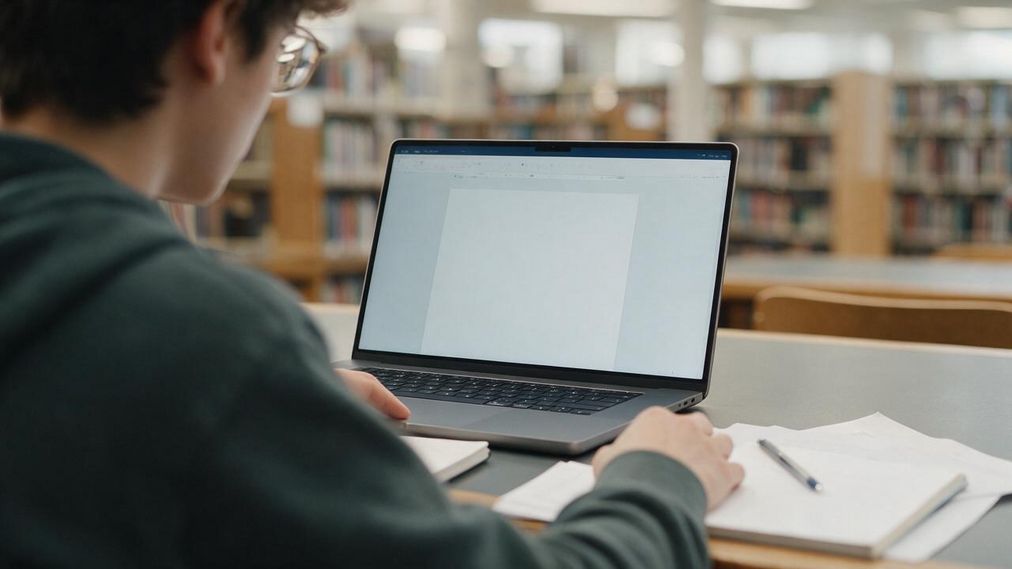
Grammar apps for essays work best when you match each tool to a specific task: planning, drafting, revising, citing, or proofreading. They can catch language problems and improve readability, but they can’t repair a weak argument or decide what you mean.
A useful essay-writing setup rarely requires a long collection of subscriptions. You can usually build an efficient workflow with two or three tools that cover writing, language review, and source management. The right choices depend on your document length, writing platform, citation needs, budget, and school rules.
Why Writing And Grammar Apps Help, And What They Cannot Do
Writing apps can identify spelling mistakes, missing punctuation, awkward sentences, repeated words, and inconsistent style. Some also flag passive voice, dense sentences, tone shifts, or readability problems. These features help you notice patterns that are difficult to spot after reading the same draft several times.
Language correction is only one part of essay editing. A polished paragraph can still contain unsupported claims, weak evidence, or ideas arranged in the wrong order. Revision deals with the argument, organization, relevance, and development of your ideas; proofreading happens later and concentrates on sentence-level errors.
Treat app suggestions as recommendations rather than automatic corrections. Academic terminology, proper names, quotations, and intentional sentence structures can trigger unhelpful alerts. You remain responsible for checking whether every edit preserves your meaning and voice.
How To Choose Grammar Apps For Essays
Choose grammar apps for essays by identifying your most common writing problems before comparing product features. If punctuation and sentence clarity cause trouble, start with a grammar checker. If long research papers feel disorganized, prioritize drafting and reference-management software.
Check where the app works and how it fits into your existing routine. A browser extension can be useful when you write across online platforms, but a built-in editor may reduce interruptions when most of your work stays in Microsoft Word or Google Docs. You should also confirm whether the tool supports your preferred form of English and provides explanations you can understand.
Review privacy policies before uploading unpublished essays, personal reflections, research notes, or documents containing identifying information. Find out what information the service collects, where processing occurs, and what account controls are available. If your institution restricts external writing tools, follow its policy before submitting academic work to any service.
Grammar And Proofreading Apps For Essay Drafts
Grammarly checks grammar, spelling, punctuation, clarity, tone, and delivery. Its range of feedback can help during sentence-level editing, especially when you separate useful corrections from optional style changes. Its plagiarism checker can serve as a similarity-checking aid, but it doesn’t replace your institution’s review system or your responsibility to cite sources correctly.
Microsoft Editor checks spelling, grammar, and style in Microsoft products and through browser extensions. It can fit naturally into your workflow when you already draft in Microsoft Word. Word also includes its own spelling and grammar features, so review the tools already available before paying for another service.
LanguageTool provides spelling, grammar, and style checks across multiple languages. ProWritingAid combines grammar checking with reports related to writing style and readability. Google Docs also includes spelling and grammar checking, making it a practical starting point when you need basic feedback inside a collaborative document.
Readability Tools For Clearer Academic Writing
Hemingway Editor highlights complex sentences, passive voice, adverbs, and readability concerns. It can help you find paragraphs that feel harder to read than necessary. A highlighted sentence isn’t automatically wrong, however, and academic writing sometimes requires technical terms or longer explanations.
Use readability feedback to locate passages that deserve another look. Read the marked sentence aloud, identify its main point, and remove words that don’t add meaning. If shortening the sentence damages accuracy or breaks a logical connection, keep the fuller version.
Plain-language principles can also guide your revision. Put the main point near the beginning, choose familiar words when they express the same meaning, and keep related information together. Clear academic writing does not require reducing every sentence to the same length or removing your natural voice.
Writing And Organizing Apps For Planning Long Essays
Long essays become easier to manage when you separate planning from sentence editing. Scrivener is designed for long-form writing and can organize notes, research, and draft sections within one project. That structure can help when your document contains several chapters, source groups, or sections that may need rearranging.
Microsoft Word and Google Docs may be enough for shorter assignments. Headings, comments, document outlines, and revision features let you manage many standard essays without adding another platform. Choose the simplest tool that can handle your document rather than moving your work into complex software without a clear reason.
Your organization tool should help you see the relationship between the thesis, section claims, evidence, and conclusion. Create a working outline before polishing individual sentences. If a paragraph does not support the section claim or move the argument forward, grammar corrections won’t make it necessary.
Citation And Reference Apps For Research Papers
Zotero is a free, open-source reference manager for collecting, organizing, citing, and sharing research. It can reduce manual work when you have many books, articles, reports, and web sources. A reference manager is especially useful when the same source appears in several notes or draft sections.
Citation software still requires careful review. Imported records can contain missing authors, incorrect capitalization, incomplete publication details, or the wrong item type. Compare every generated citation with the original source and the official rules for your required citation style.
Consult the official resources for American Psychological Association (APA), Modern Language Association (MLA), or Chicago style when formatting questions arise. Citation generators can speed up routine tasks, but the official guidance should settle questions about unusual sources, quotations, reference lists, and document formatting.
Paraphrasing And Summarizing Tools
QuillBot offers paraphrasing, grammar checking, summarizing, and citation tools. These features can help you examine sentence alternatives or reduce your own notes into shorter study material. They require careful use because changing words does not remove the need to acknowledge the original source.
A proper paraphrase restates an idea accurately in your own sentence structure and vocabulary, then provides the required citation. Replacing a few words with synonyms can preserve too much of the source’s wording. It may also distort technical meanings or create unnatural sentences.
Check your course policy before using paraphrasing or summarizing software on assessed work. Some instructors permit language support but restrict generated rewriting. Keep your source notes, compare the revised passage with the original, and verify that the final wording represents your understanding.
Free Versus Paid Essay Writing Apps
Free tools can cover many student needs, particularly spelling, basic grammar, and straightforward proofreading. Google Docs and Microsoft Word include built-in language checks, and Zotero provides free reference-management functions. Starting with the software you already use can reduce tool switching and unnecessary costs.
Paid plans may provide broader style feedback, longer-document support, added reports, or expanded usage limits. Those additions are useful only when they solve a repeated problem in your writing process. A large feature list has little value if you need help with only punctuation and citations.
Test a free version with a representative paragraph before subscribing. Review the quality of its explanations, the number of incorrect alerts, and the time required to accept or reject suggestions. Compare that experience with feedback from your instructor, writing center, or a careful human reader.
Academic Integrity, Privacy, And Data Safety
Whether a writing tool is allowed depends on your institution, course, instructor, and assignment. Basic spelling correction may be treated differently from paraphrasing, text generation, or extensive rewriting. Read the stated rules and ask for clarification when the permitted level of assistance is unclear.
Privacy also matters because essays can contain unpublished research, personal information, assessment material, or confidential project details. Read the provider’s privacy policy before installing an extension or uploading a document. Pay attention to data collection, storage, account controls, and any options related to product improvement.
Remove identifying or confidential details when possible, especially if the full document is not required for the task. You can often test a sentence-level issue by submitting a short passage rather than an entire essay. For restricted research or private academic work, use tools approved by your institution.
A Simple Essay Workflow Using Two Or Three Apps
Begin with your outline and source plan in a familiar drafting tool. Build the thesis, section order, and paragraph claims before focusing on small language corrections. Use Zotero when the assignment requires several references or repeated citations.
After completing the draft, revise the ideas and organization without accepting grammar suggestions yet. Check whether each section supports the thesis, whether the evidence supports the claim, and whether paragraphs appear in a logical order. Move, expand, combine, or remove material before proofreading.
Run the revised draft through one primary grammar checker, then use a readability tool only for passages that remain dense. Review every suggestion manually and finish with a slow proofread in Word, Google Docs, or your required submission format. This compact writing stack reduces repeated alerts and keeps you in control of the final document.
Common Mistakes To Avoid With Grammar Checkers
Accepting every suggestion is one of the fastest ways to flatten your writing voice. Style tools often favor shorter or more common phrasing, which may not fit a technical argument. Read the full paragraph after every major change to confirm that the tone, meaning, and logical links remain intact.
Running several grammar checkers at the same time can create conflicting advice. One app may recommend a phrase that another app flags, leaving you with more decisions and less confidence. Select one main checker and use a second tool only when it serves a different purpose, including citation management or readability review.
Editing too early can also waste time. A perfectly polished paragraph may be removed when you revise the argument. Finish the main drafting and structural work first, then check sentence clarity, grammar, punctuation, spelling, citations, and formatting.
Final Pre-Submission Checklist
Your last review should move from large concerns to small details. Start with the assignment requirements, thesis, organization, evidence, and citations. End with sentence-level proofreading and document formatting.
- Confirm that the thesis answers the assigned question.
- Check that every paragraph supports a clear section claim.
- Verify quotations, paraphrases, citations, and reference entries.
- Review app suggestions instead of accepting them automatically.
- Check names, academic terms, headings, and formatting manually.
- Read difficult passages aloud to test clarity and rhythm.
- Proofread the version you will submit, not an earlier draft.
Save a clean copy after reviewing tracked changes, comments, and automated suggestions. If the essay was exported into another file format, scan the exported document for broken spacing, missing text, or altered references. Submit only after confirming that the file opens correctly.
What Grammar Apps Help With Essays?
- Grammarly: grammar, clarity, and tone
- LanguageTool: multilingual grammar and style
- Microsoft Editor: Word and browser editing
- ProWritingAid: style and readability reports
- Hemingway Editor: sentence complexity
Build A Smaller, Smarter Writing Stack
The most useful grammar apps for essays are the ones that address a real gap in your writing process. Choose one dependable drafting platform, one language checker, and a reference manager when the assignment requires research. Revise your argument before polishing individual sentences, review every automated change, and confirm citations through the required style resource. A small set of well-chosen tools gives you more control than a crowded collection of apps producing overlapping advice.
References
- Grammarly Grammar Checker
- Grammarly Plagiarism Checker
- Microsoft Editor
- ProWritingAid
- LanguageTool
- Hemingway Editor
- QuillBot
- Zotero
- Scrivener
- Google Docs Spelling And Grammar Support
- Microsoft Word Spelling And Grammar Support
- Purdue Online Writing Lab Writing Process
- University Of North Carolina Writing Center Revising Drafts
- University Of North Carolina Writing Center Editing And Proofreading
- Purdue Online Writing Lab Avoiding Plagiarism
- Plain Language Guidelines
- American Psychological Association Style
- Modern Language Association
- Chicago Manual Of Style
- Grammarly Privacy Policy
- ProWritingAid Privacy Policy
- LanguageTool Privacy Policy
- Microsoft Privacy Statement
- Google Privacy Policy.

Menachem Silber is a Brooklyn-based real estate developer and co-founder of Lightstone Management, with 15+ years leading affordable and mixed-use projects nationwide. He has overseen development of 1,000+ NYC housing units valued at $500M+, manages a multi-state rental portfolio, and, via Lightstone Holdings, invests in small-business lending and blockchain ventures.